Explainable
Every decision has a reason
For every slot assignment and every replenishment, LAPS shows why it decided that way — and what would have changed the outcome.
Explainable, not a black box
A decision may be complex — its reasoning has to stay simple. Every slot assignment, storage unit selection and replenishment leaves behind a sentence a person can understand.
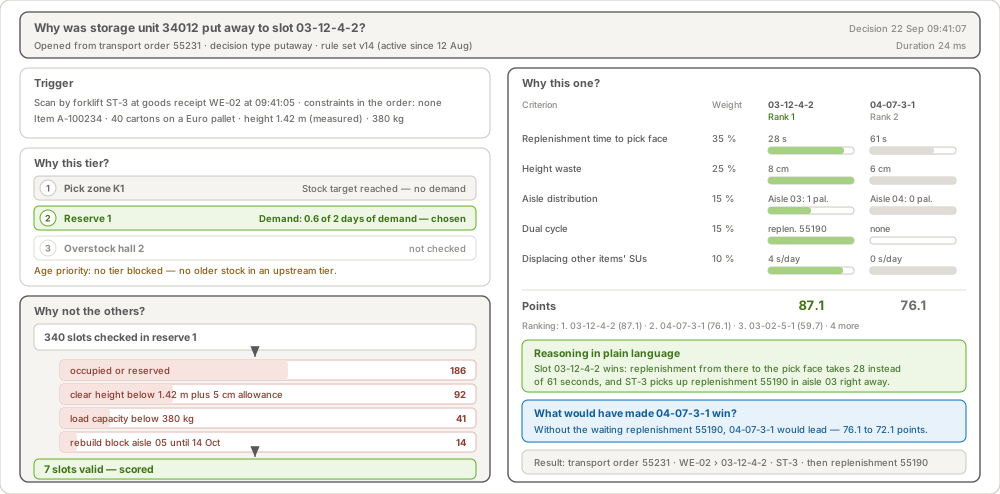
Why this slot — and why not the others
Trigger, exclusion reasons, the closest runners-up and what would have tipped the result. Every slot shown is clickable, right into the 3D model.
Exceptions show their cause
Instead of “no slot found”: “Height 2.35 m — the last 40 receipts of this item were 1.05 m.” Usually it is fixed at the same workstation where the pallet stands.
Rule changes with a preview
Before a change goes live, LAPS states its reach — “affects 412 slots and 37 items” — and checks that every item still has a destination.
Workflow monitor: where is the order?
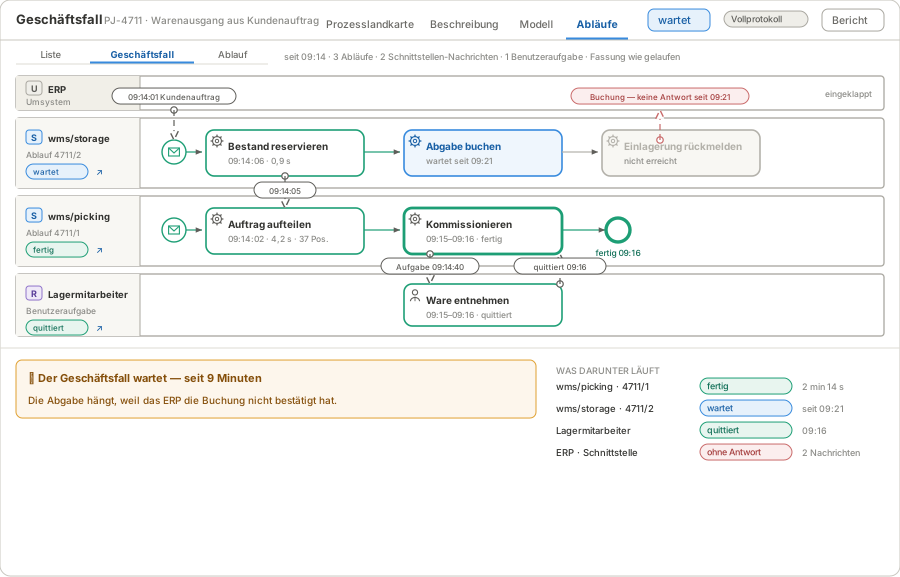
Not “instance 4711/3 failed”, but “putaway is stuck because the ERP has not confirmed the posting”. The monitor lays every run onto the model that actually ran.
The business case across all systems
- Search by business key — order, load unit, document — without knowing which process is responsible
- Across services and external systems — runs, messages to the ERP and user tasks as one case
- Live — status changes appear without reloading
- From finding to task — a task or question right at that point in the run
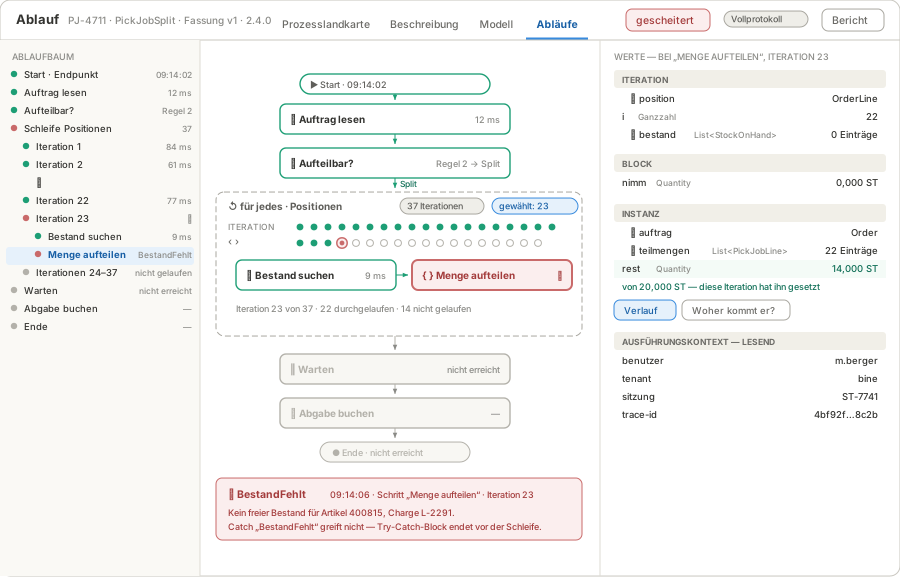
Every step traceable
- The path taken on the model — branches taken drawn through, others dimmed
- Every iteration on its own — with 37 loop iterations, the axis shows at once which one failed
- Values with history — “Where does this value come from?” is a question with an answer
- The version that ran — a run from three weeks ago is read against the model of back then
- Interventions only with a reason — resume, retry, abort with a role — and in the log